A premium, atmospheric poster for a jazz night, stylish typography, high-end feel.
較好Seedream 5.5 · 3:4 · 1440p
Event poster, 3:4, split layout: a large photo of a brass saxophone on a dark green velvet chair fills the top two thirds; a solid cream band fills the bottom third. In the cream band, left-aligned: headline "LATE SET" in heavy condensed sans serif, dark green; below it, smaller, "Fridays · 9 pm · The Lantern Room" in regular weight. Warm low tungsten light on the saxophone, deep shadows, fine film grain. No other text, no logos.
公式是 "change X in the image to Y",Y 可以是顏色、材質、形狀或新內容。同時寫明哪些維持不變。
精確編輯Seedream 5.5 · 1 reference
Using image 1, change only the red ceramic mug on the desk to a matte black steel travel mug of the same size and position. Keep the desk, laptop, plant, window light, shadows, and framing exactly as in image 1.
ByteDance 的指南指出,"transparent background"、"PNG with a transparent background"、"no background"、"alpha channel" 這類用語會觸發 RGBA 輸出。在 OmniArt 上,把背景設為透明,並在提示詞中保留其中一句。另外也要明確排除背景板與棋盤格。
透明素材Seedream 5.5 · 1:1 · Transparent
A single ripe peach with one green leaf, soft studio light from the upper left, centered with 10% padding. Transparent background PNG with an alpha channel. No backdrop, no surface, no checkerboard, no text.
Documentary portrait. Quiet, warm, unposed. A fishmonger in her sixties laughing while she wraps fish in paper at a morning market stall, ice and crates around her, other shoppers out of focus. 50mm at eye level, soft overcast light, natural skin texture with fine lines, light film grain, no retouching look.
Flat lay of a printed café menu card on a linen tablecloth. Title at the top, centered, in a serif: "Morning Menu". Below it, three left-aligned items, each with a price aligned right: "Oat flat white — 4.50", "Cardamom bun — 3.80", "Soft eggs on rye — 9.00". Footer, small, centered: "Served until 11:30". Black ink on off-white card. No other text.
Using image 1, remove the small mole inside the red circle and smooth the flyaway hairs at the top of the head. Remove the red circle. Keep the face, expression, skin texture, lighting, and background unchanged.
妝容轉移Seedream 5.5 · 2 references
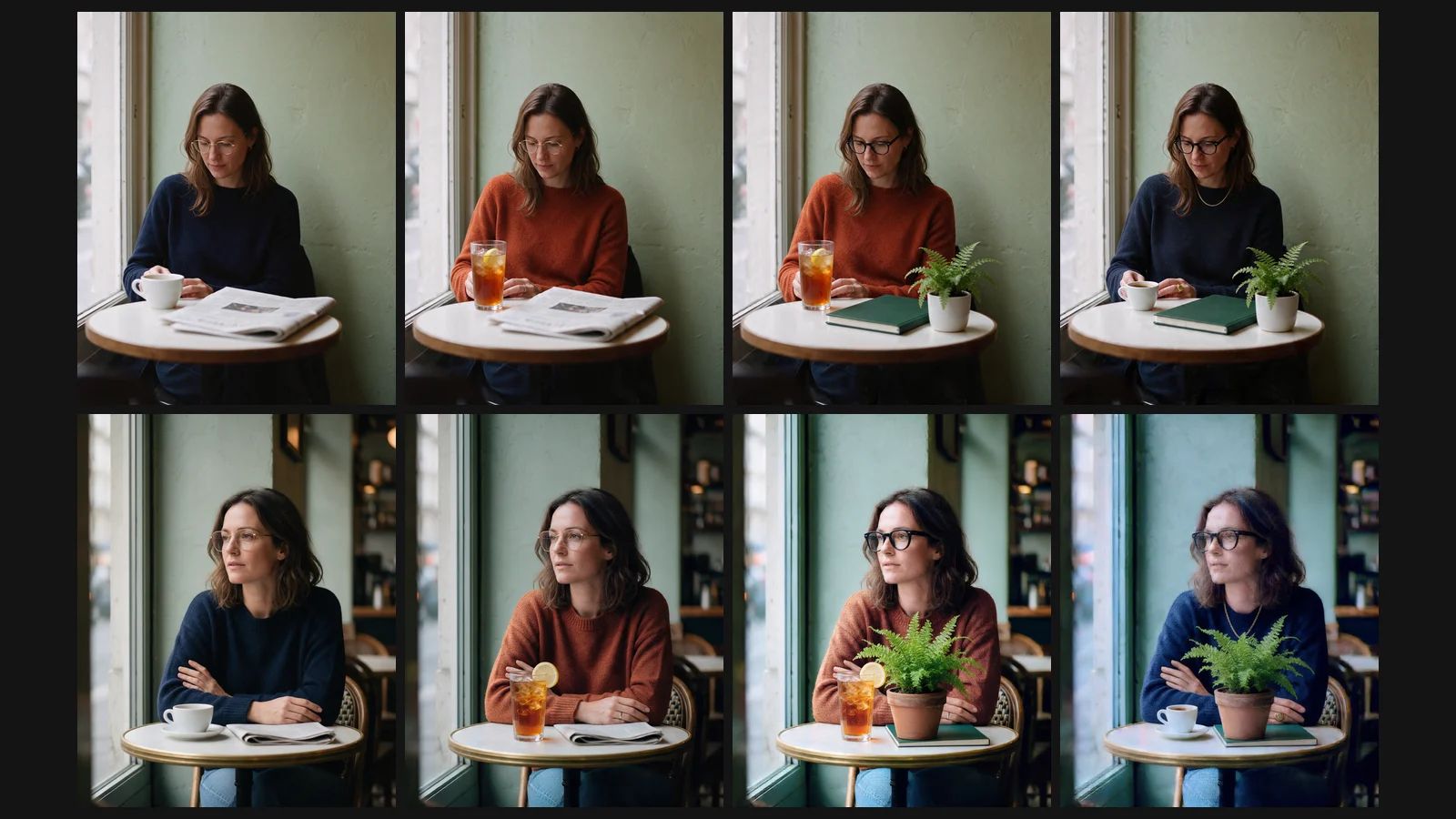
Image 1 is the person. Image 2 supplies the makeup and hairstyle only. Apply the eye makeup, lip color, and hairstyle from image 2 to the person in image 1. Keep the face shape, identity, outfit, pose, and background from image 1.
Redraw the person in image 1 as a 2000s shōjo manga color page. Keep their face shape, hairstyle, hair color, outfit, accessories, pose, and gaze. Clear 2D line art, two or three flat color layers per area, rose pink, coral, cream, and warm brown palette, plain bright pink background. Fully 2D, no photographic shading.
Use the cat in image 1 as the character; keep its face shape, fur color, and markings. Make a set of 9 die-cut stickers in a 3×3 grid, each with a different expression, pose, and small prop. Short handwritten captions, one per sticker: "hi", "ok!", "no.", "snack?", "zzz", "wow", "thanks", "busy", "bye". Consistent flat style with a thick white border. Transparent background PNG with an alpha channel, no backdrop, no checkerboard, no watermark.
Long single-column e-commerce detail page for a grapefruit sparkling water called "Soda". From top to bottom: a hero section with the can and two grapefruit halves; a four-column benefits row with icons and the labels "Zero sugar", "Real fruit", "Light fizz", "330 ml"; a close-up of grapefruit pulp; the can in a glass with ice. Seamless coral-pink gradient background throughout, clean sans serif, generous spacing. No other text.
Visual identity board for a home goods brand called "JAZZY". Naive, hand-drawn style. Include: the logo, a brand color palette with five swatches, a typeface sample, two supporting graphic motifs, a photo style example, and three applications — a tote bag, a paper cup, and a shop sign. Grid layout on a warm white background, each module labeled in small caps.
標誌組Seedream 5.5 · 1:1 · 1440p
A set of 12 logo marks for the Chinese zodiac animals in a 4×3 grid. Avant-garde, minimal, abstract shapes. Use only these colors: #B71F1B, #B93029, #242B31, #9A3E2C, #B58549. Flat marks, no gradients, no text, plain off-white background.
Using image 1, furnish this unfinished room as a calm Japandi living room. Do not change the floor plan, walls, window positions, ceiling height, or camera angle. Add light oak flooring, a low linen sofa, a round paper pendant lamp, a wool rug, and two potted plants. Soft afternoon daylight from the existing window.
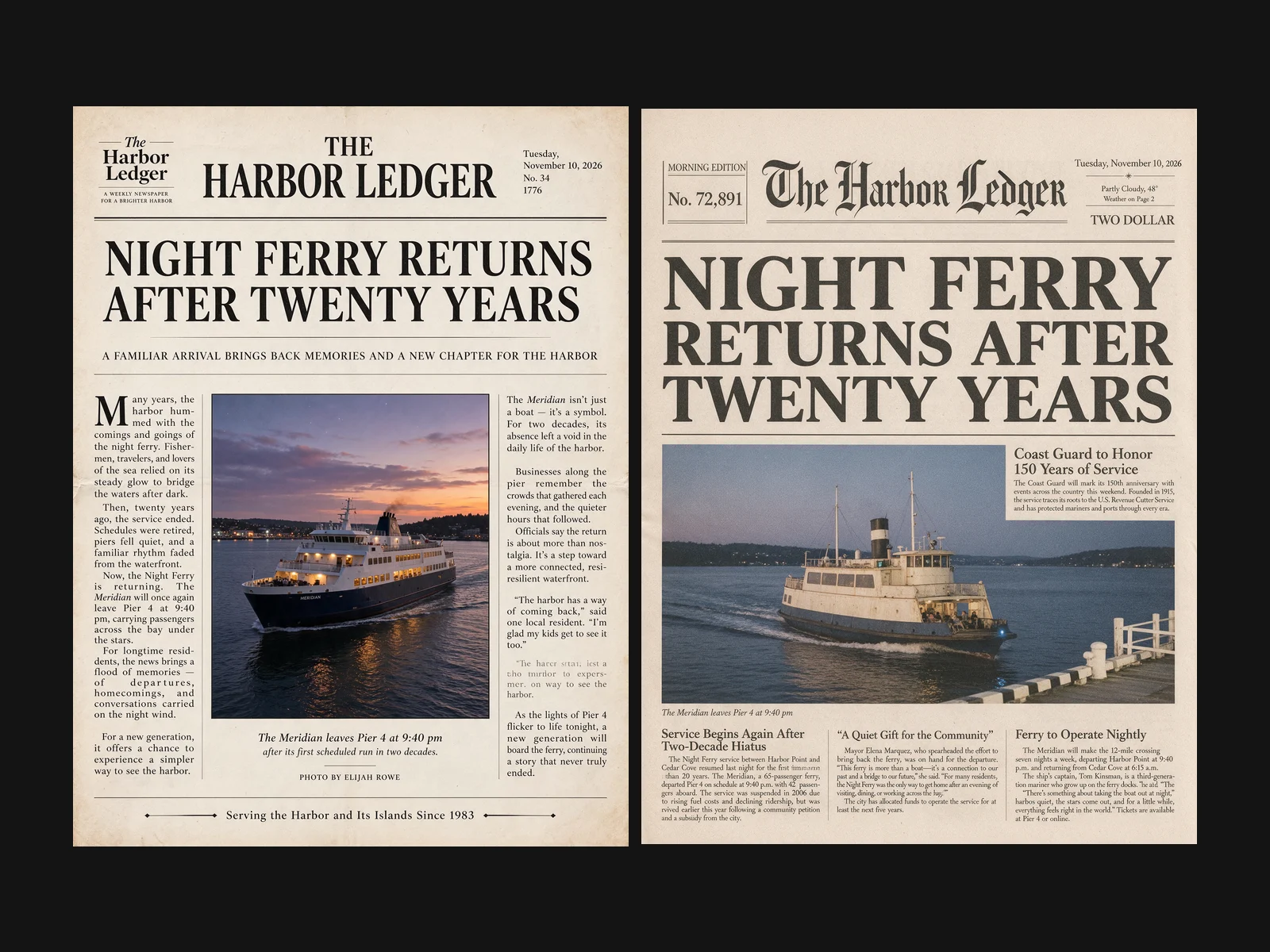
Extra-tall personal year-in-review report titled "My 2026 in Short Dramas". Avant-garde poster style: a few bold abstract shapes as the focal point, screen-print halftone texture, limited palette of red, black, and cream. Sections from top to bottom: the title; one large number "312 episodes"; a bar chart of the top five genres; a closing line "See you next season". No other text.
Campaign asset set for a secondhand charity sale called "Old Things, New Life". On one canvas, show three formats side by side with one shared visual system: a tall social post, a square social post, and a wide article cover. Warm paper collage style, hand-cut shapes, kraft and cream with one green accent. Each format shows the title and the line "Saturday 10–4 · Community Hall". No other text.
帶標註的參考圖。 在圖上寫註解、畫箭頭或方框,然後寫提示詞:"Generate a new image following the annotations in image 1, and remove the annotations."
草圖與色卡。 "Recolor image 2 using the palette in color card image 1. Keep the layout and every object in image 2."
多圖合成。 替每張圖分配角色,再合成。
多圖合成Seedream 5.5 · 3 references
Image 1 is a sofa. Image 2 is a fabric sample. Image 3 is a living room. Reupholster the sofa from image 1 in the fabric from image 2, then place it in image 3 where the current sofa stands, matching the room's light and perspective. Keep everything else in image 3 unchanged.