게임 & 엔터테인먼트

픽셀 아트 스타일 전이

참조 이미지의 픽셀 체계로 새 대상을 다시 그리거나, 이미지가 없으면 적어 둔 픽셀 규격으로 만듭니다.

업데이트:

전체 프롬프트

입력 예시가 포함된 영어 프롬프트입니다. 생성 전에 대상과 세부 사항을 수정하세요. 원본 예시의 입력과 생성 설정은 완전히 확인되지 않았습니다.

추천 모델: GPT Image 2.5 Flare

Create one still picture that rebuilds a new subject in a pixel-art style. If the user uploads a style reference, borrow only its visual system: the pixel scale, the size of the palette, the weight of outlines, whether shadows are dithered, and how highlights sit in flat blocks. Do not reproduce the reference subject, its pose, its setting, or any lettering visible in that file. If no reference is supplied, invent one consistent pixel system from the written notes and apply it to every part of the frame. Draw the requested subject large enough to read, with anatomy, clothing, and props decided as deliberate pixels rather than a photo that was shrunk onto a grid. Snap edges to that grid, avoid soft anti-aliasing, and keep one pixel size from the nearest object to the farthest. Use the background the user names; if they name none, use a flat neutral field. Match the subject count and the action they describe. If they supply a short caption, draw those exact words as blocky pixel letters and add nothing else; if they supply none, leave the image free of text. Do not mix in a second medium, a logo, or a watermark. User request: Chunky pixels about the size of a thumbnail icon, six muted colors, thick dark contours, and simple checker dither in the shadows. Subject: an adult baker sliding a tray of buns across a wooden counter, flat warm-gray background, no caption.

프롬프트 작성 팁

  • 업로드는 스타일만 가져온다고 적고, 새 그림이 참조의 대상을 베끼지 않았는지 보세요.
  • 확대해서 픽셀 크기가 하나인지, 색이 제한적인지, 사진처럼 흐리지 않은지 확인하세요.

출처 및 크레딧

OmniArt가 재구성하고 다시 작성했습니다. 출처, 변경 사항 및 이용 조건은 아래에 표시됩니다.

  • Transfer a pixel-art style · OpenAI

    RaphaelAI-OpenLab/awesome-gpt-image-2.6

    Public example from OpenAI's image prompting guide; no redistribution license was verified and the collection's MIT license does not cover it. This template is independently authored; no source text or media is copied.

    Turned a one-line style note about a fixed subject into a reusable pixel-system transfer, with a style-only rule for uploads and a written fallback when no reference is supplied. Subject, action, palette, and caption stay user-controlled. The source collection labels this case GPT Image 2.6; GPT Image 2.5 Flare is a recommendation, not a verified example model.

출처 및 크레딧

관련 프롬프트 레시피

애니풍 어드벤처 게임 장면
게임 & 엔터테인먼트

애니풍 어드벤처 게임 장면

어떤 아이디어든 셀 셰이딩 오픈월드 어드벤처 게임 스크린샷으로 바꿔 보세요. 바람 부는 들판과 회화풍 하늘, 은은한 HUD까지 갖춰 팬 콘셉트와 무드 아트에 제격입니다.

전체 프롬프트
희귀도 등급 카드 세트
게임 & 엔터테인먼트

희귀도 등급 카드 세트

독창적인 테마를 R, SR, SSR 희귀도와 고급 카드지, 홀로그램 포일, 확대된 히어로 카드가 있는 통일된 트레이딩 카드 세트로 만듭니다.

전체 프롬프트
가챠 소환 화면
게임 & 엔터테인먼트

가챠 소환 화면

어떤 캐릭터 아이디어든 화려한 모바일 게임의 5성 가챠 연출 화면으로 만들어 보세요. 무지개 광채, 황금 별, 색종이와 실감 나는 UI 버튼까지 갖춰 밈과 목업에 바로 쓸 수 있습니다.
전체 프롬프트
게임 컨셉 아트 시트
게임 & 엔터테인먼트

게임 컨셉 아트 시트

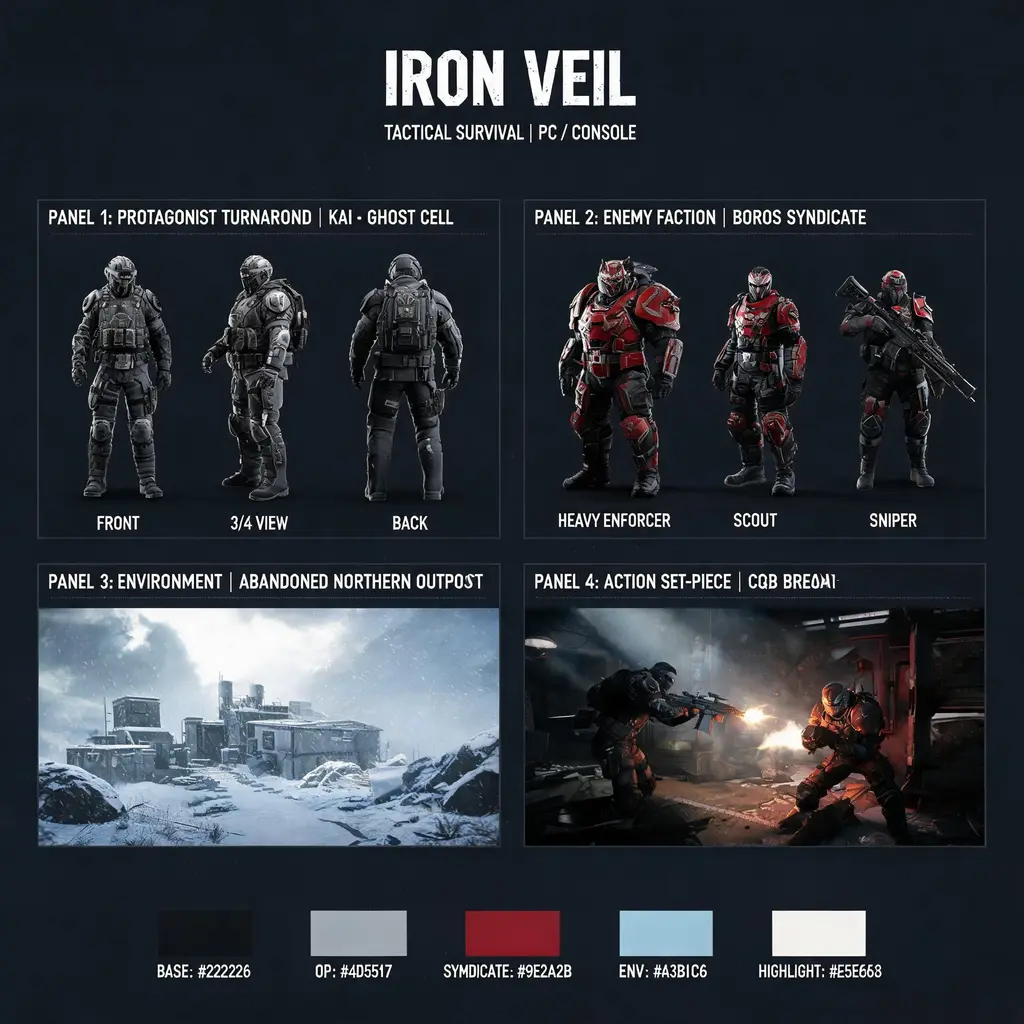
게임 아이디어 하나를 AAA급 컨셉 보드 한 장으로: 주인공 턴어라운드, 적 라인업, 시네마틱 환경 샷, 팔레트 칩까지 담아 제안합니다.
전체 프롬프트
히어로 슈터 스크린샷
게임 & 엔터테인먼트

히어로 슈터 스크린샷

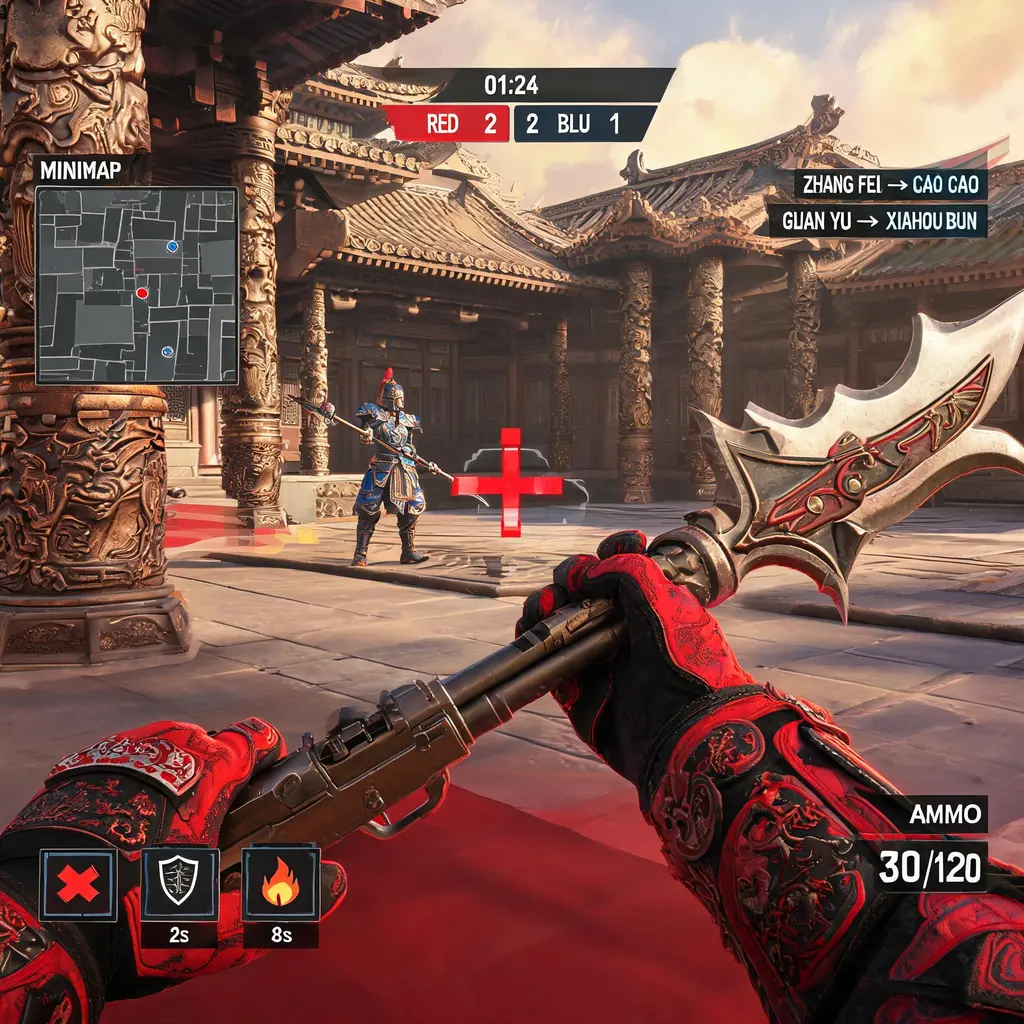
어떤 테마든 1인칭 전술 히어로 슈터의 매치 스크린샷으로: 무기 시점, 스킬 아이콘, 킬 피드, 미니맵, 라운드 점수 UI까지 갖췄습니다.
전체 프롬프트
MOBA 전투 스크린샷
게임 & 엔터테인먼트

MOBA 전투 스크린샷

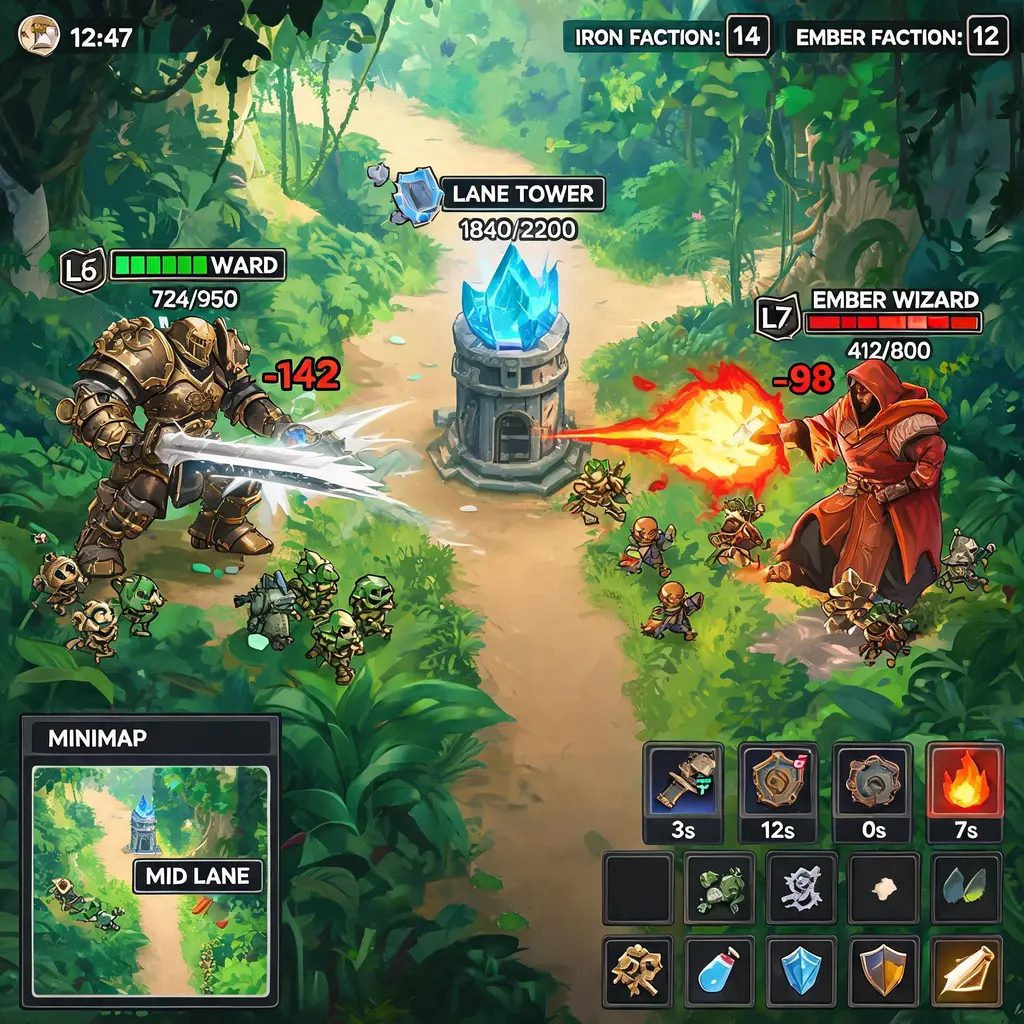
설명한 캐릭터를 미니맵, 스킬 바, 체력 바까지 갖춘 탑다운 판타지 MOBA의 미드 한타 스크린샷으로 만들어 밈이나 콘셉트 제안에 바로 쓸 수 있습니다.

전체 프롬프트